OpenAI DevDay 2026: what matters for plugin builders
OpenAI's DevDay had a lot for anyone building on ChatGPT. These three announcements matter most if you build plugins or MCP servers.
Organic discovery
ChatGPT can now suggest a relevant plugin during a conversation and let people connect to it on the spot.
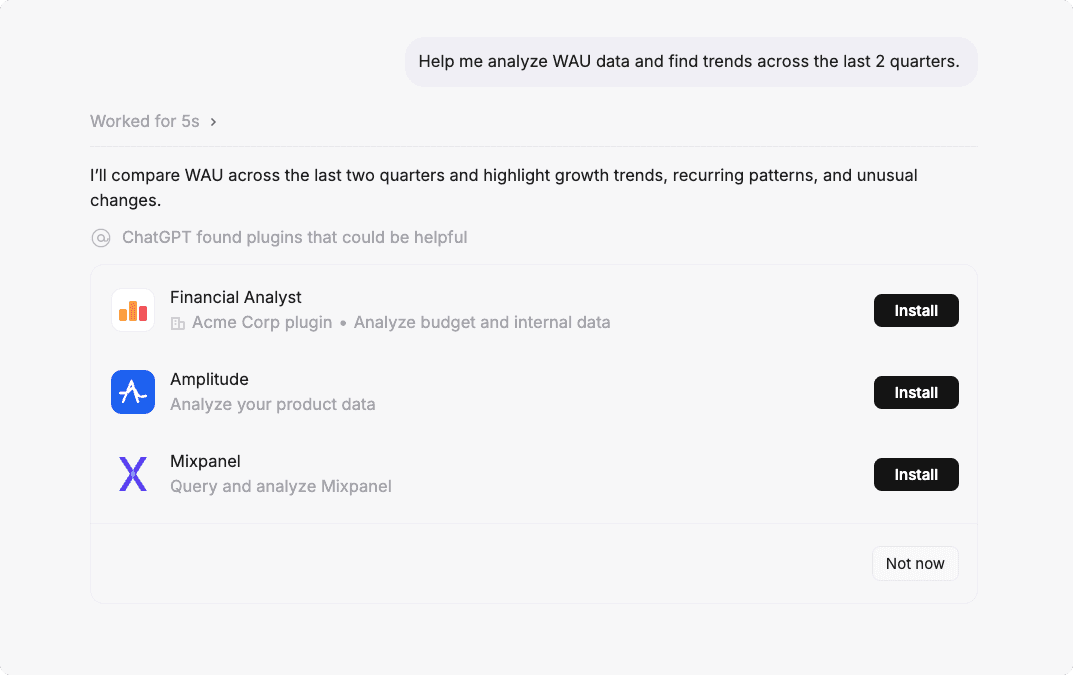
Once published, your plugin appears in the shared ChatGPT and Codex directory. People can find it by searching its name, or you can share a direct link. Suggestions in conversation and placement on the directory's main pages are what OpenAI calls enhanced distribution. OpenAI chooses which plugins to feature based on usage and user satisfaction. Developers can't apply for enhanced distribution, and it's unlikely a plugin will receive it when it first goes live. OpenAI periodically compares your MCP server's tools with the published definitions.
You can't control whether OpenAI features your plugin, but you can make your tools easier for agents to discover and choose. Clarify when each tool should be used, distinguish similar tools, and test them against realistic user requests. Read more about Discovery and Tool Selection in the User-Value Chain.
Plugin Extensions
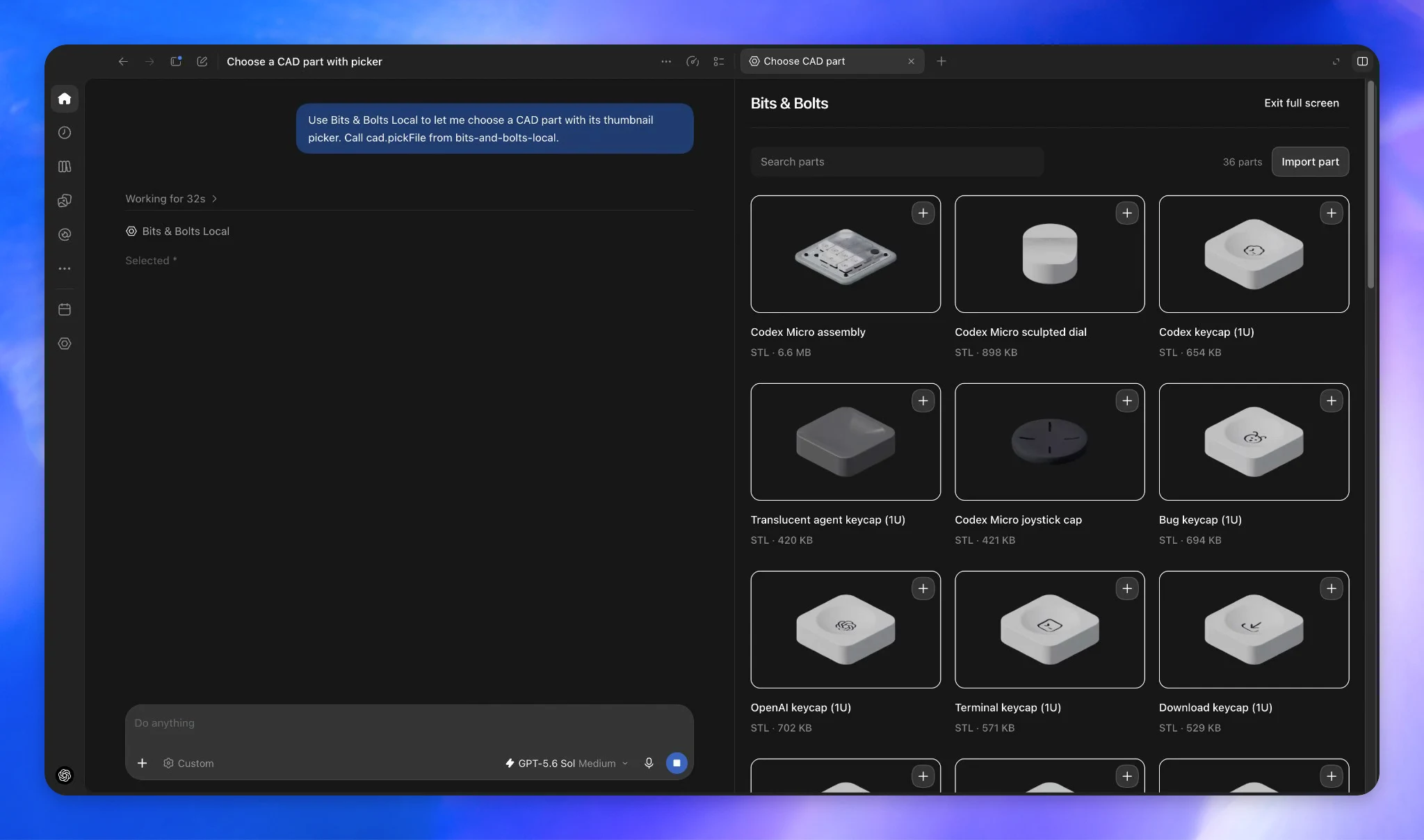
Plugins can now give users more ways to work with your product inside ChatGPT. Depending on the extensions you build, users can:
- Open your app from the sidebar: work in a fullscreen interface, with deep links to specific pages.
- Work alongside a conversation: use an interactive panel next to the chat while discussing or refining their work.
- Open and edit supported files: view a file through your plugin and save changes without leaving ChatGPT.
- Set preferences and provide context: configure plugin settings, fill out native ChatGPT forms, and mention plugin content in the desktop composer.
You build these extensions with the Apps SDK on top of your MCP server. Existing plugins continue to work, so you can add the experiences that fit your users' workflows.
Dots
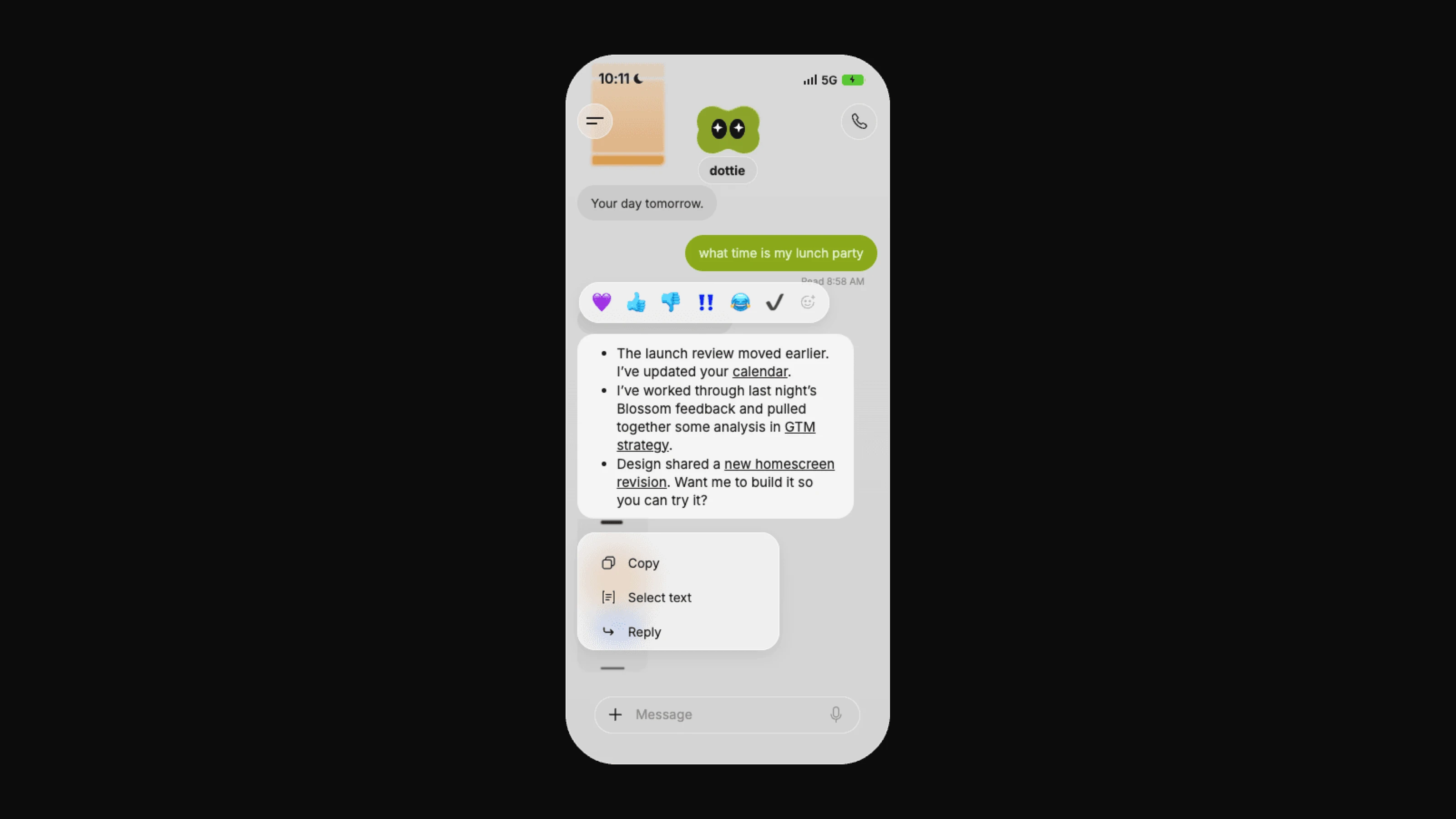
Dots are always-on agents that work on your behalf. Each one has its own cloud computer, learns from feedback over time, and can keep working toward your goals around the clock. They're rolling out to Pro users outside the EEA, Switzerland, and the UK, and to Business Premium users, and your first dot is included in those plans. Enterprise workspaces can try the beta once an admin turns it on.
What this means for builders
These announcements give plugins a bigger role in how people use ChatGPT, from finding your product to getting work done with it. If you already have an MCP server, it's a good time to revisit your tool descriptions and explore which extensions would make your product easier to use. You can use MCPJam to test how agents use your tools and turn those workflows into evals to run again as you make changes. We'll keep sharing what these updates mean for builders as they roll out.