Effective MCP, Part 1: The User Value Problem
Your users aren't in your app anymore. They're talking to an agent in ChatGPT, Claude Cowork, or Cursor. That agent decides when they talk to you. Agents have all the user's context. You get almost none of it.
As users move their workflows into these agents, the hardest part of improving your MCP integration is getting feedback from production: did the tool call actually help the user?
Here's an example.
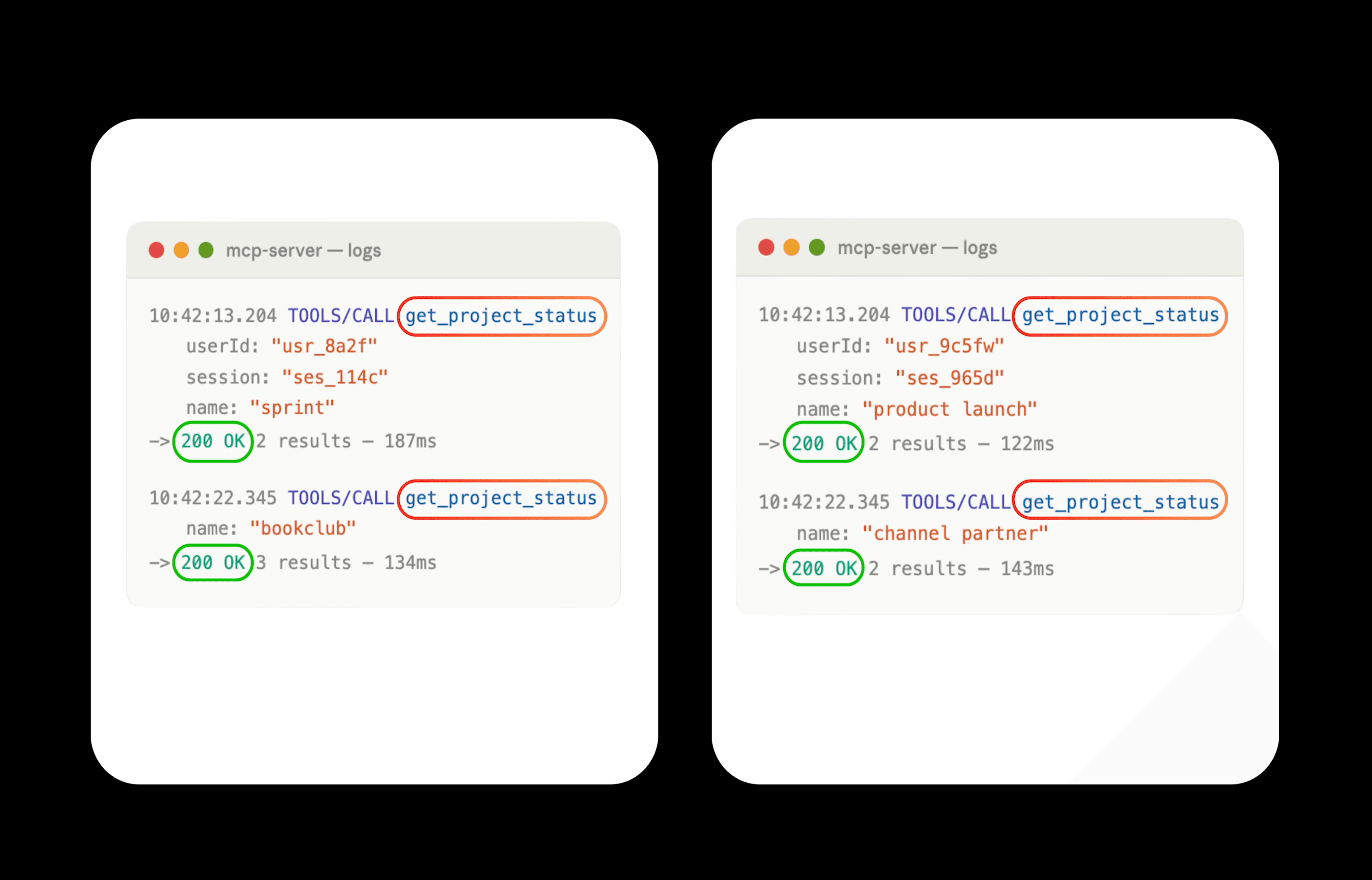
Now look at the user prompts that triggered those tool calls:
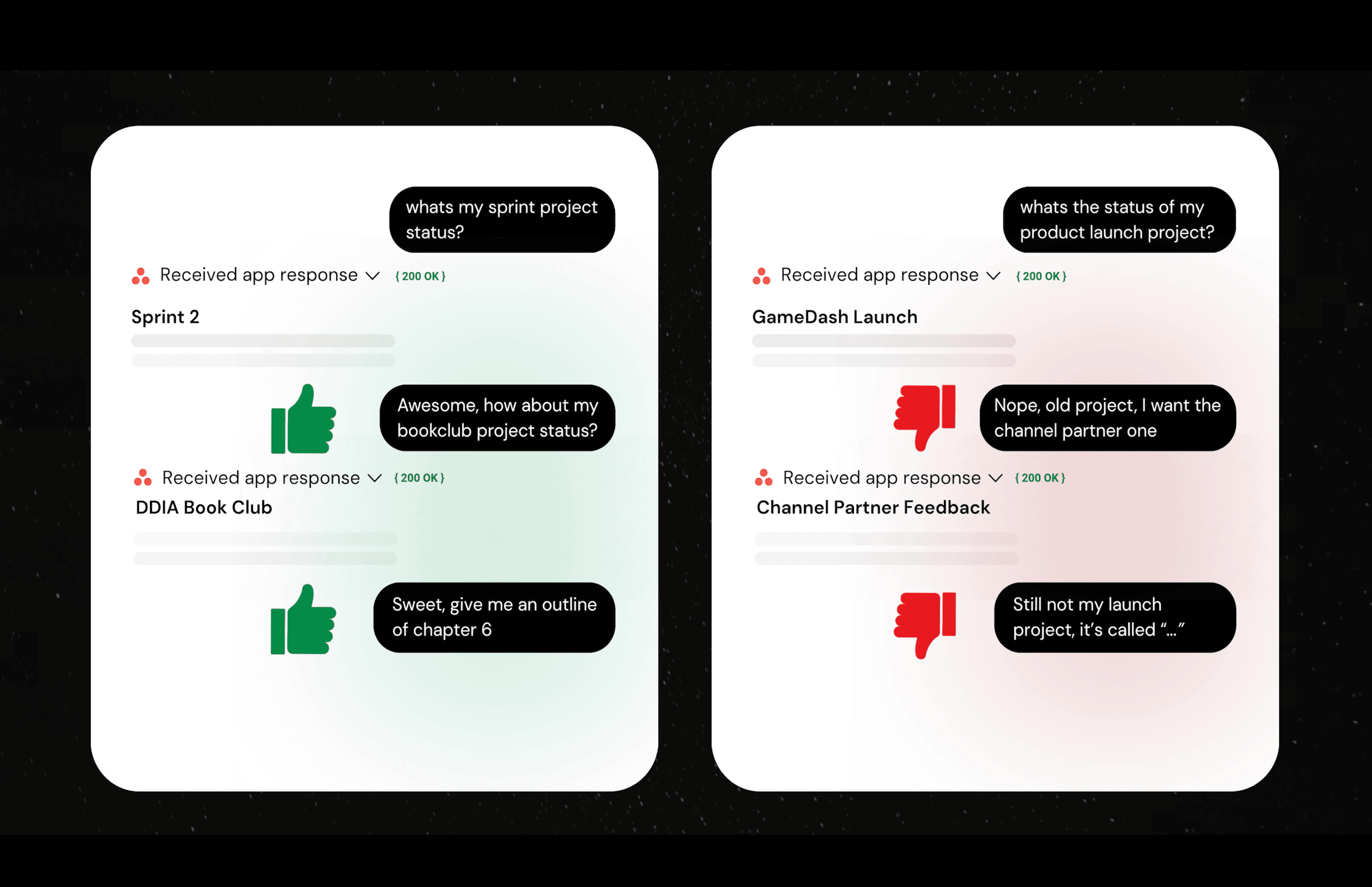
The two users got opposite outcomes, but your logs show the same thing: 200 OK for the same tool calls in nearly identical sessions. From your server, you can't tell them apart. The agent keeps the user's intent and context to itself.
The User Value Problem
In MCP, your integration can work perfectly and still fail the user, and you have almost no way to see it.
With a traditional API integration, your system usually sees the action that started the request, or enough context around it to judge success. With MCP, your integration sees that an agent called a tool. The user's original request, the agent's reasoning, and whether the user was satisfied usually stay outside your system.
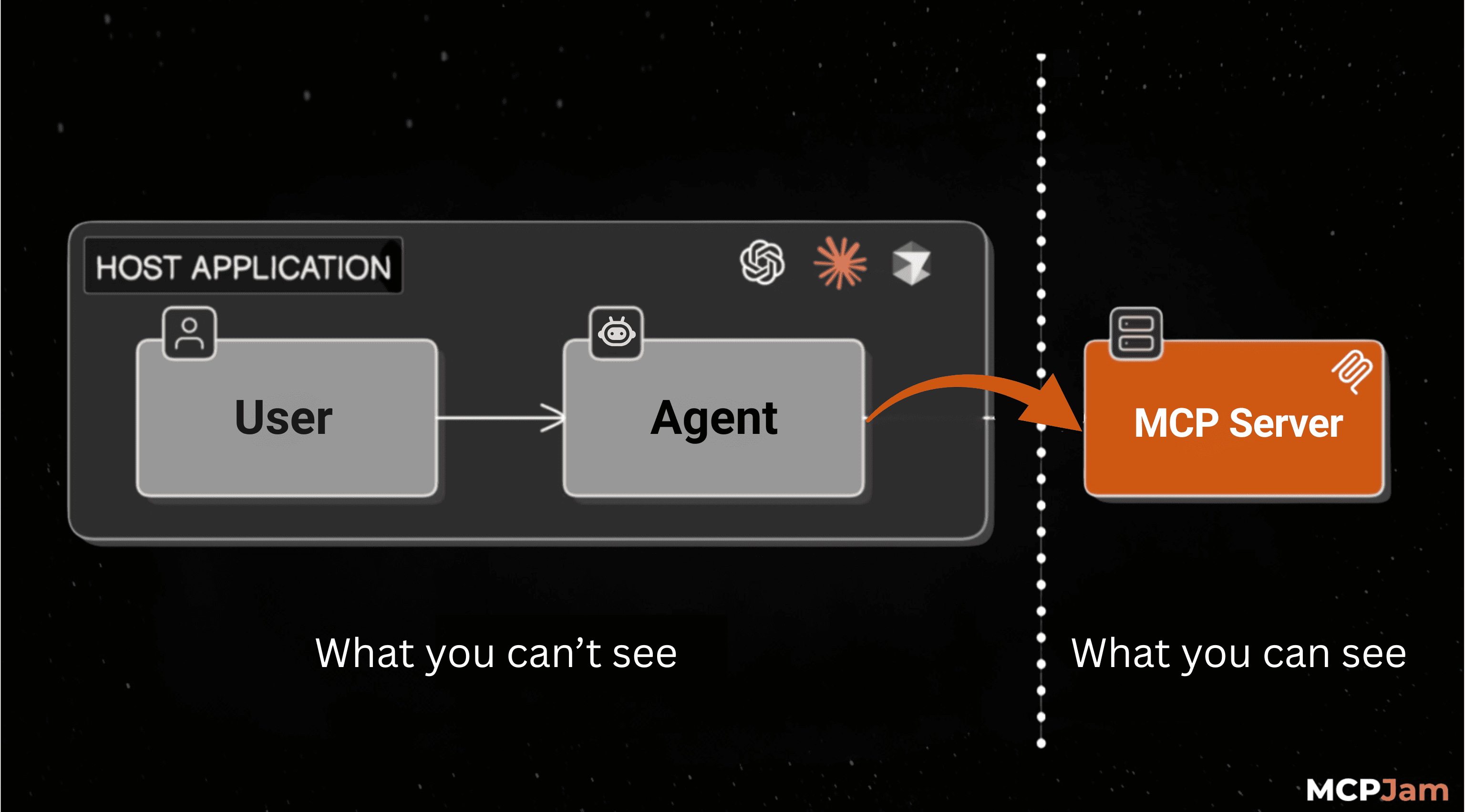
The server behind your integration controls the tool schema, metadata, implementation, and response format. It doesn't control when those calls happen, what user context surrounds them, or whether the results satisfy the user.
The Shift to Agentic Workflows
The workflows your product was built for now happen somewhere else. Instead of visiting your website, users automate tasks by talking to agents in apps like Claude Cowork and ChatGPT.
Exhibit A
A scheduled task runs at 9am in Cowork. The agent fetches priorities by querying Slack, Linear, and Notion, then sends the user a daily briefing on its own.
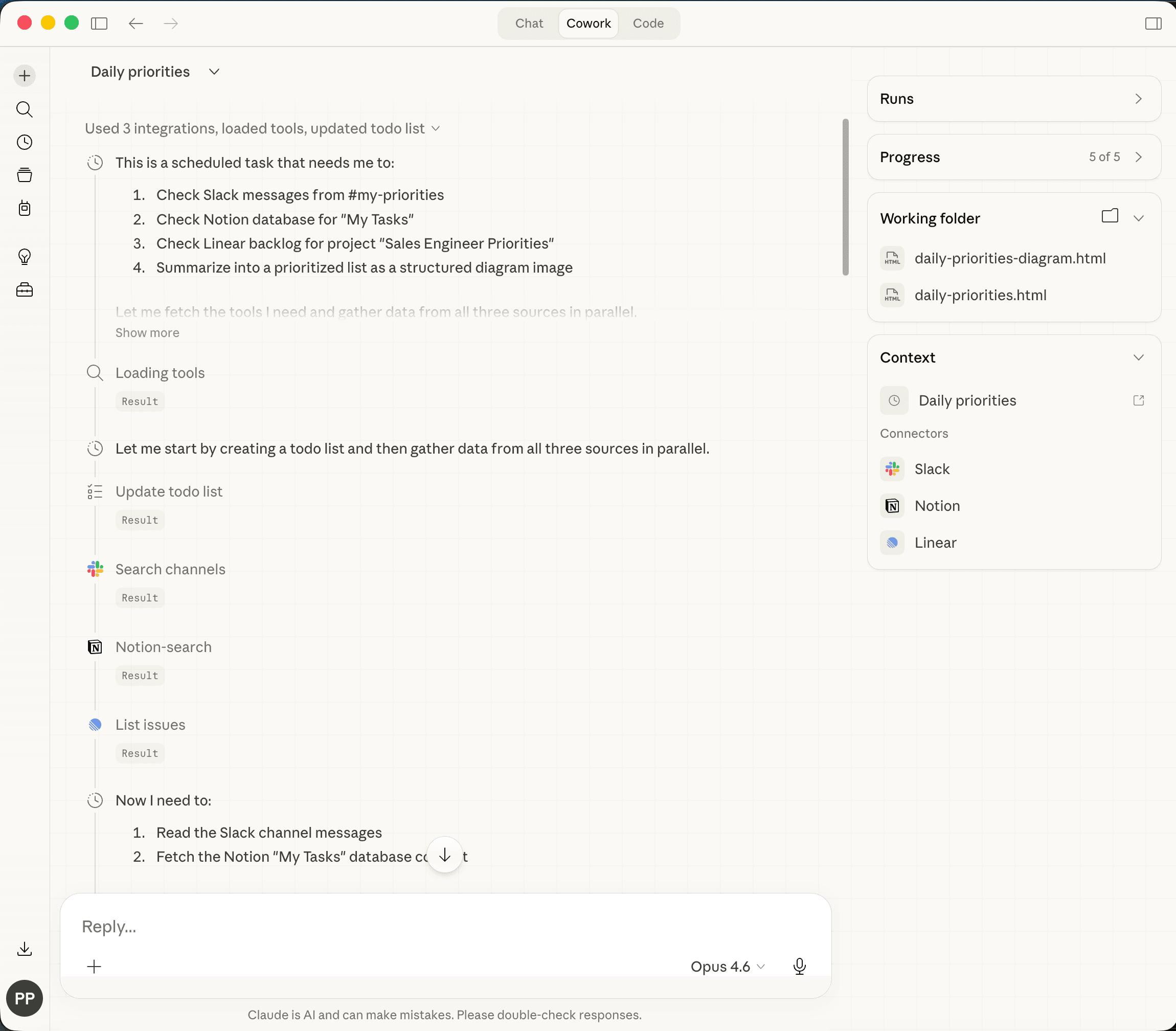
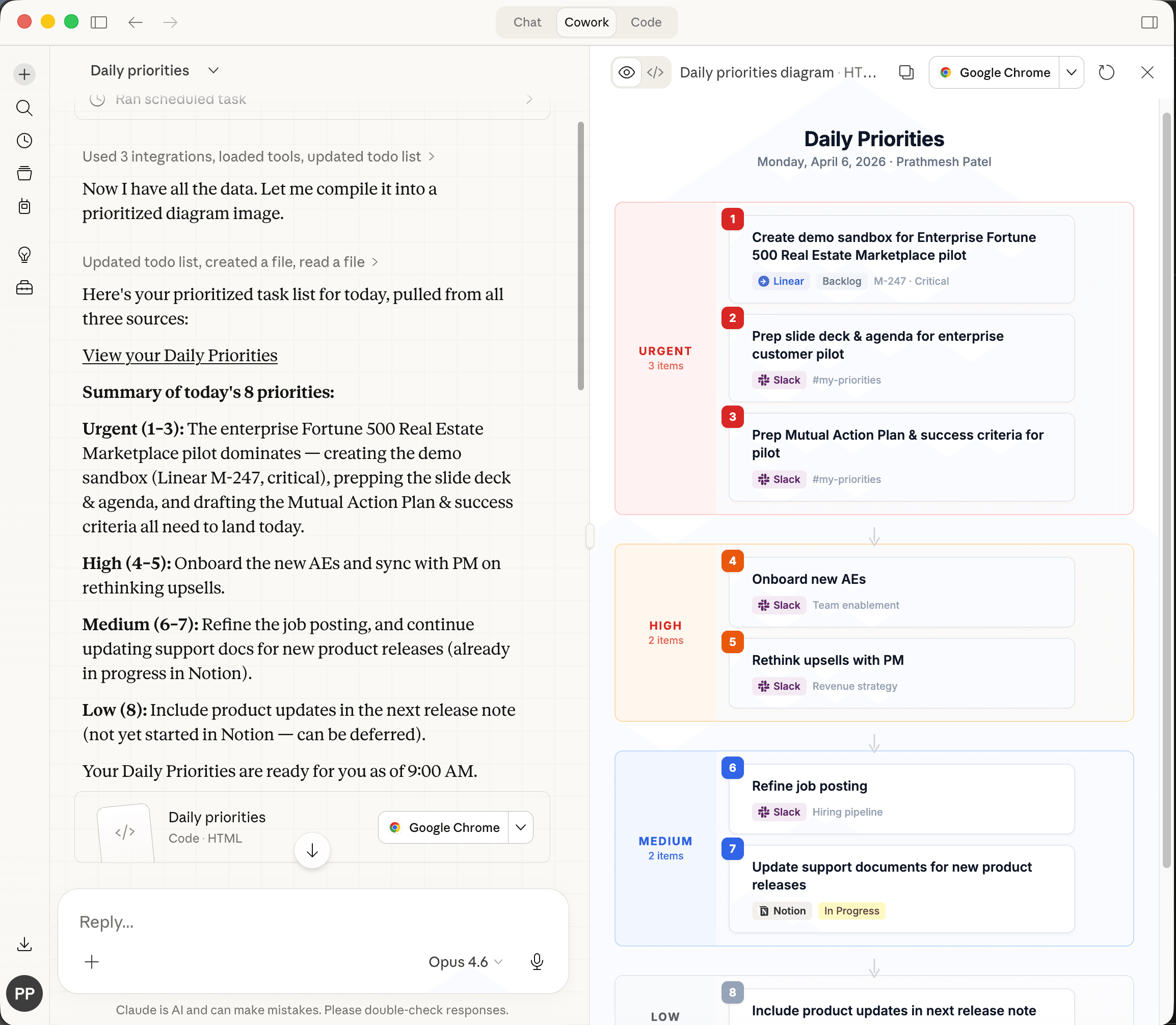
Exhibit B
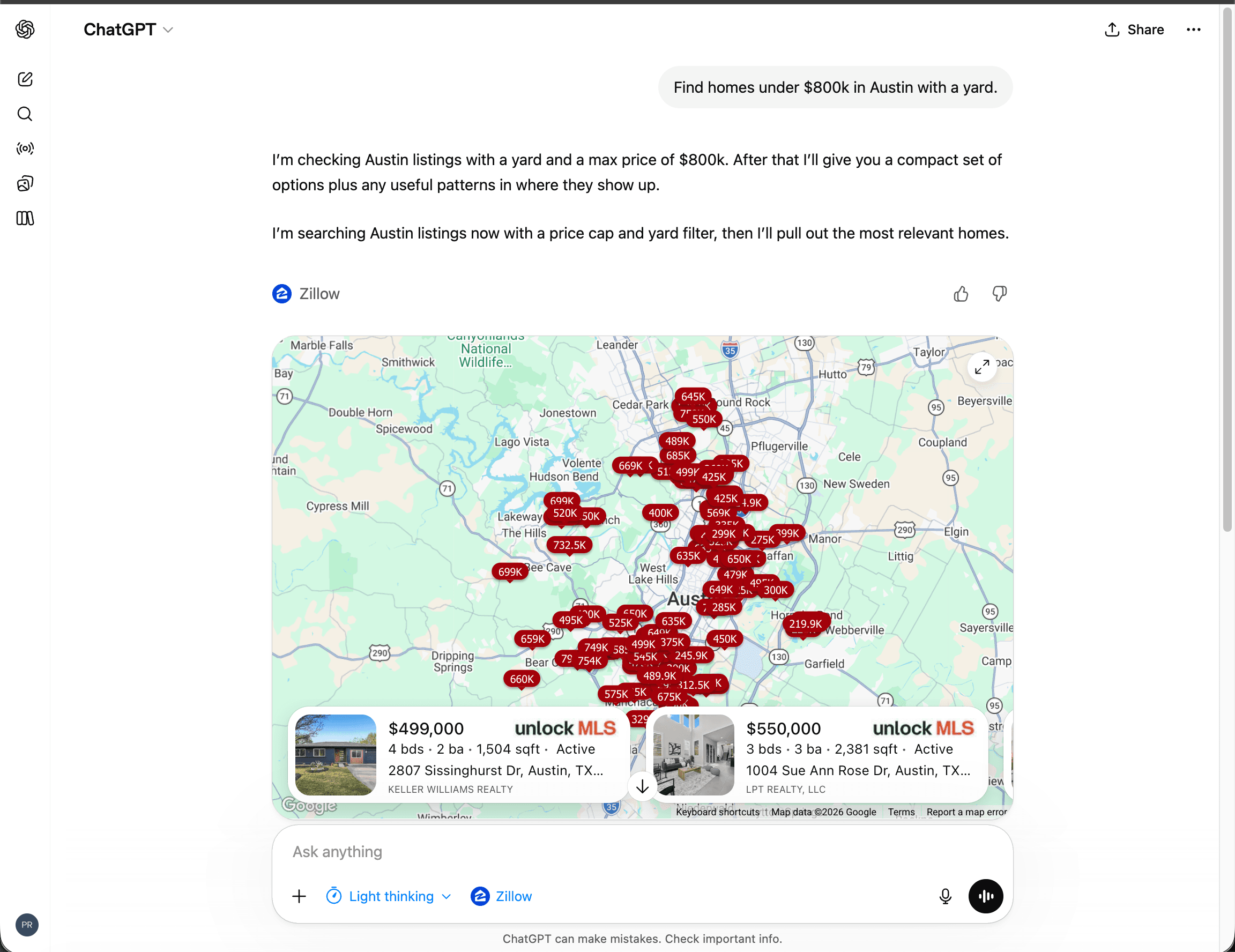
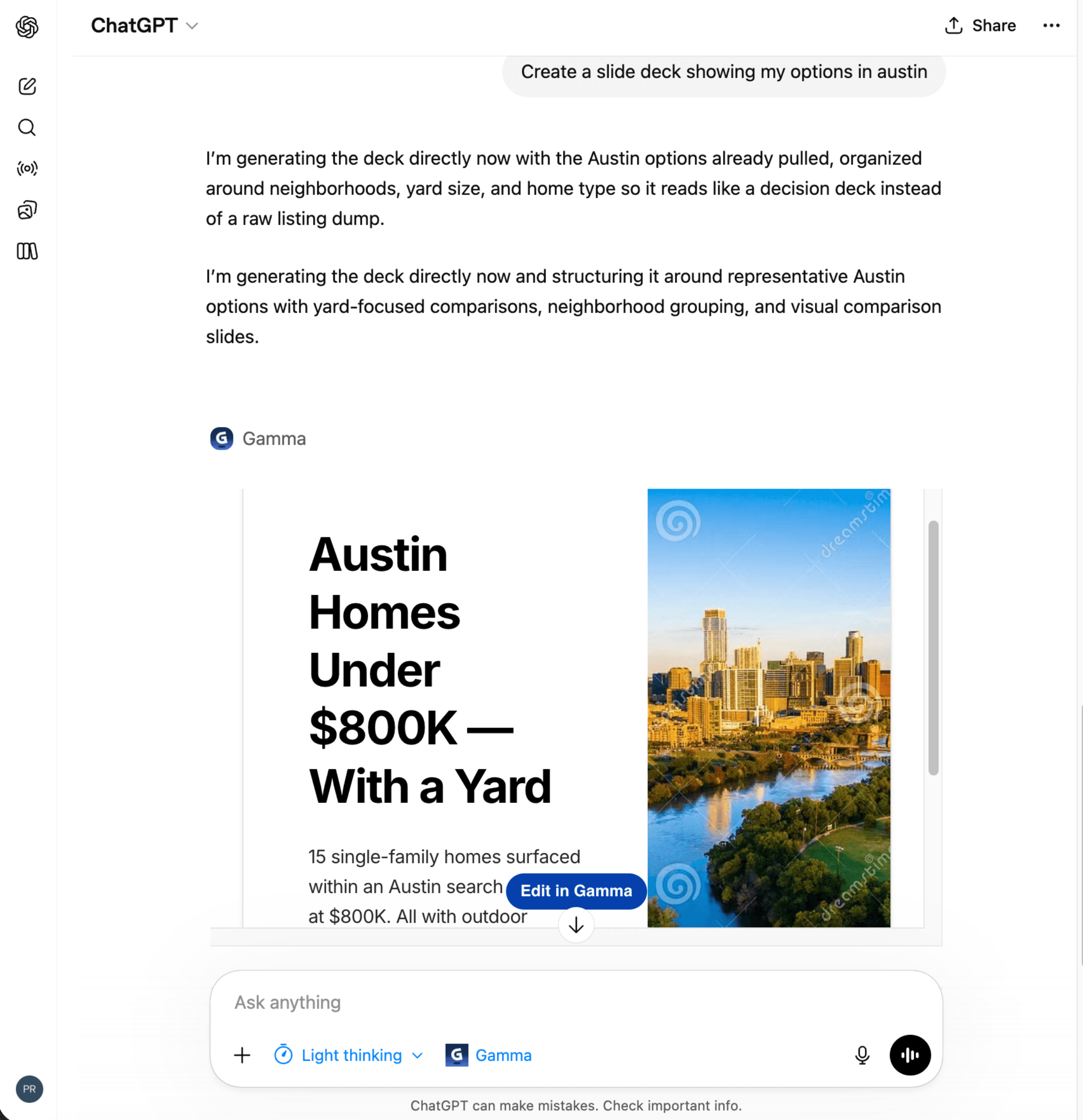
A user asks an agent to find homes under $800k in Austin with a yard. The agent queries Zillow's data, compares listings, and generates a slide deck using Gamma AI.
Your users are rewiring how they work. If they can't reach your product through the agent they use, they may switch to a competitor that has an integration.
Checking the "we have an MCP integration" box won't save you, though. If your integration is clumsy, the agent keeps picking the wrong tool, or your tool returns data the agent can't parse, the user blames your product along with the agent.
To survive this shift, you have to be where your users are. To pull ahead, your integration also has to be effective, meaning it delivers user value.
The Black Box of Intent
Your integration sits behind a boundary it can't see past. Even whether your tool gets called is up to the model. From OpenAI's developer documentation:
"Discovery in ChatGPT is model-driven: the assistant chooses your app when your tool metadata, descriptions, and past usage align with the user's prompt."
That makes effectiveness hard to measure. The user's intent, the decision to call your tool, and the context of that call all happen outside your control.
So how do you know your MCP integration delivers user value?
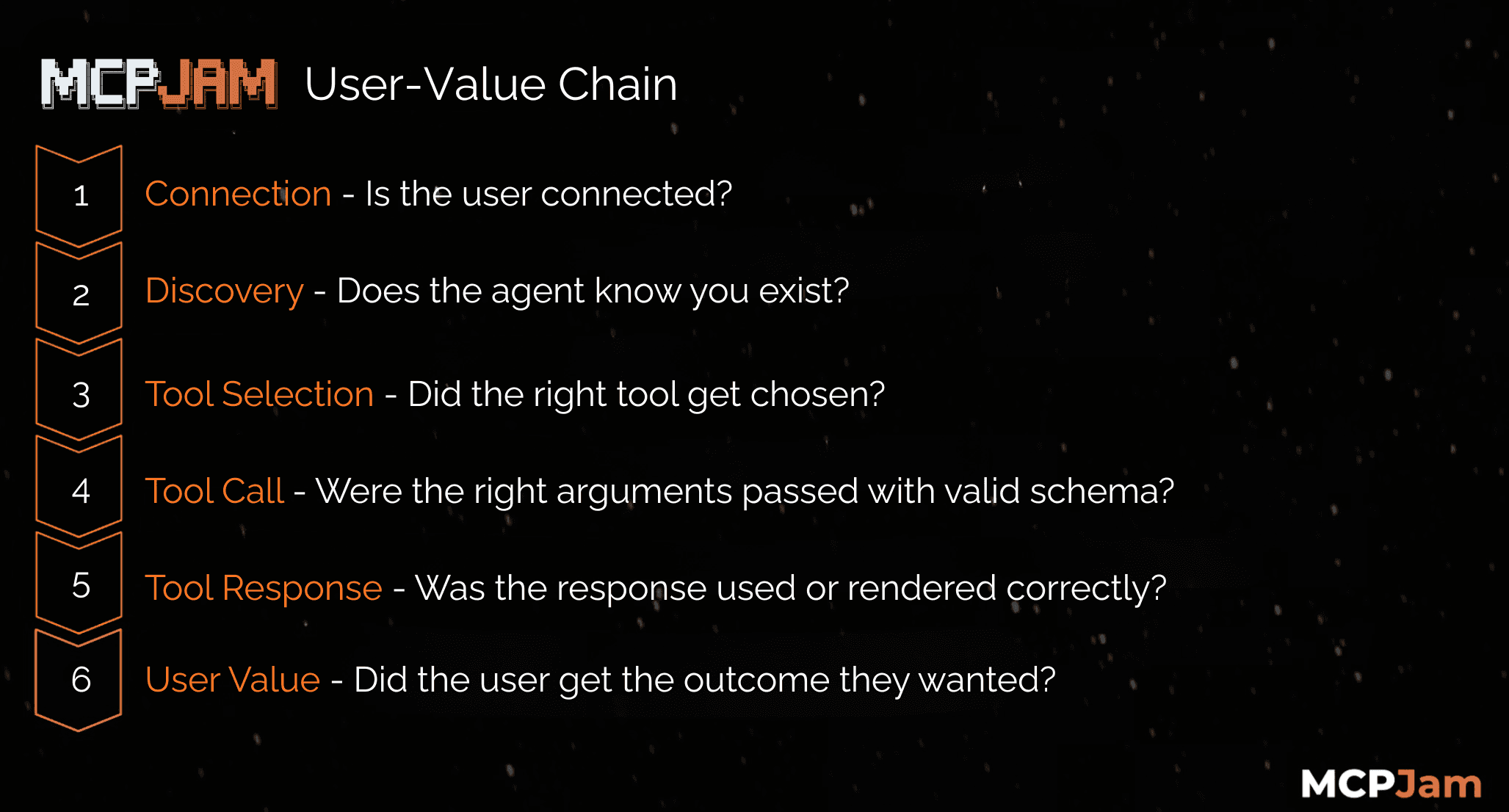
You have to know whether the full chain from user intent to user outcome succeeded, and your integration working is only one link in it. I call this the User-Value Chain. For an MCP integration to deliver value, every step has to go right:
- Connection
- The user has to connect your integration successfully with the right auth, account, and permissions.
- Discovery
- The host application has to surface your integration, and the agent has to recognize that your tools are available.
- Tool metadata, descriptions, and how the host application decides to surface available integrations all influence whether discovery happens.
- Note: discovery is also a likely monetization surface, since host applications control how integrations are surfaced, ranked, and entered.
- Tool Selection
- The agent has to choose the right tool for the user’s intent instead of skipping it or picking a competing option.
- Tool descriptions, schema design, reliability, past successful use, and how the host application discloses tools can all influence selection.
- Tool Call
- The agent has to pass arguments that are syntactically valid for your schema: correct types, required fields, formats, enums, bounds, etc.
- The arguments have to be semantically correct for the user’s intent: the right IDs, dates, filters, etc.
- If your tool depends on context like account, environment, locale, or permissions, that context has to be passed or inherited consistently.
- Tool Response
- Your tool has to return the correct response with acceptable latency and clear errors. This works differently than in API integrations, which we'll cover later.
- The agent has to interpret, use, and sequence the response correctly.
- If the tool is linked to a UI resource, the host application has to fetch and render that UI correctly, initialize it through the standard iframe bridge, and keep the UI in sync with tool inputs and results.
- The result, whether agent output, UI output, or both, has to feel trustworthy and understandable to the user.
- User Value
- The user has to get the outcome they actually wanted.
The user gets value only when every step in the chain succeeds. Most MCP integration teams see only a small slice of it.
Testing endpoints and fixing bugs covers only part of shipping MCP. You're instrumenting an agent using your product on behalf of a user.
Until you measure the full chain, you don't know whether your MCP integration is effective.
Why this series exists
This series is about closing that gap. In the next parts, we'll map where the User-Value Chain breaks across the boundary between the host application and your integration. Then we'll show how an Effectiveness Feedback Loop closes the gap, taking you from 'our MCP integration works' to 'our MCP integration measurably delivers user value.'
The MCP teams that pull ahead will be the ones that observe, evaluate, and improve the whole path from user intent to user outcome.