MCPJam OAuth Debugger: Test every step of the MCP auth flow
We're excited to launch our visual MCP OAuth debugger on the MCPJam inspector. The OAuth debugger allows you to visualize the authorization handshake at every step, and pinpoint exactly where the issues are in your auth implementation.
New features include:
- Handshake visualizer: visually track where you are in the OAuth handshake. Understand who is on the sending and receiving end of every request
- OAuth debugger (guide):inspect every step of the OAuth flow. The debugger guide tells you what step you're on, and provides hints on how to debug.
- OAuth debugger (raw): view all network requests sent at every step
- Handle registration methods: test for Client ID Metadata Documents (CIMD), Dynamic Client Registration (DCR), or client pre-registration.
- Protocol versions: test for all three protocol versions.
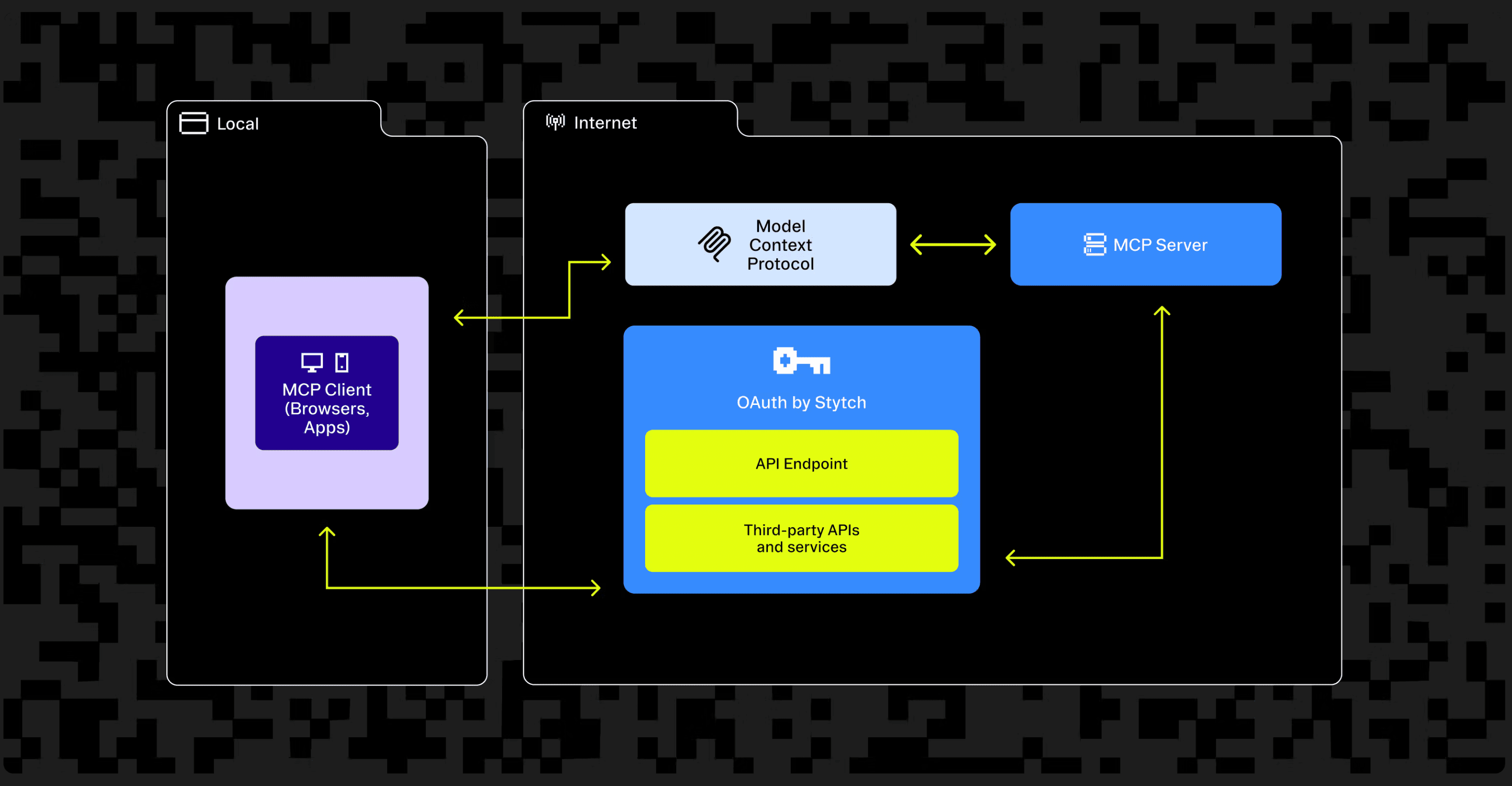
We also published a MCP OAuth step-by-step checklist with the latest spec with our friends at Stytch. The OAuth debugger is a way to cross items on the checklist to see if you've implemented OAuth correctly. I highly recommend giving that a quick read.
Visually see the OAuth handshake
If you've worked on MCP OAuth before, you've probably seen the diagram that explains the handshake. We built a step-by-step diagram in the OAuth debugger that guides you through the flow as you debug your server's OAuth.
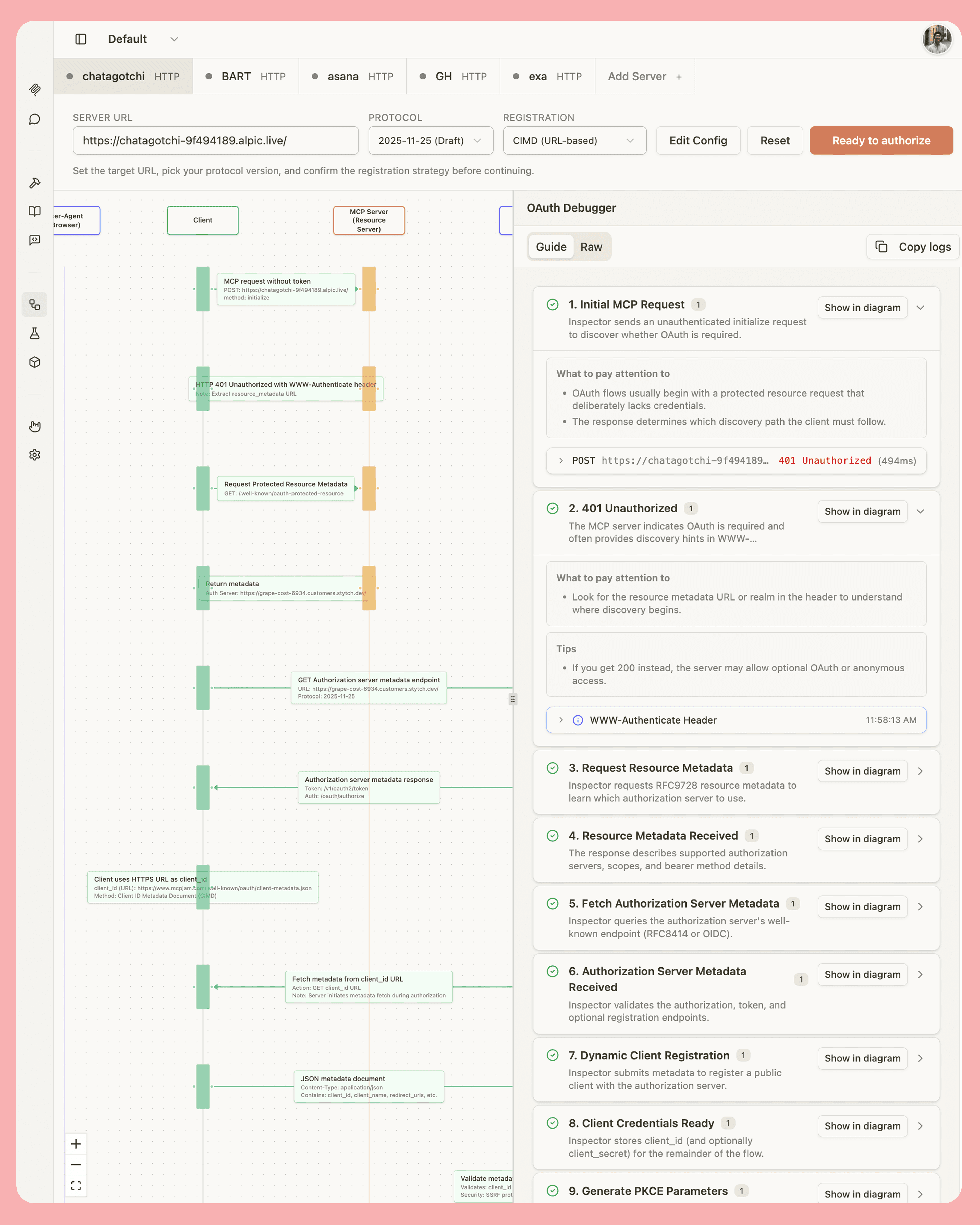
This allows you to observe exactly where you are in the flow. The diagram should also help you understand which component (Client, MCP server, or Auth Server) is currently sending a network request to another component.
OAuth debugger (Guide & Raw)
We intended to make the OAuth debugger an educational tool. On the right panel, you can observe either the guided OAuth debugger, or the Raw debugger. The guided debugger tells you what step you're on, and what you should be expecting to see within each step. If a step is broken, it means that your OAuth implementation is broken somewhere. We added hints to help you debug the issue if the step is broken.
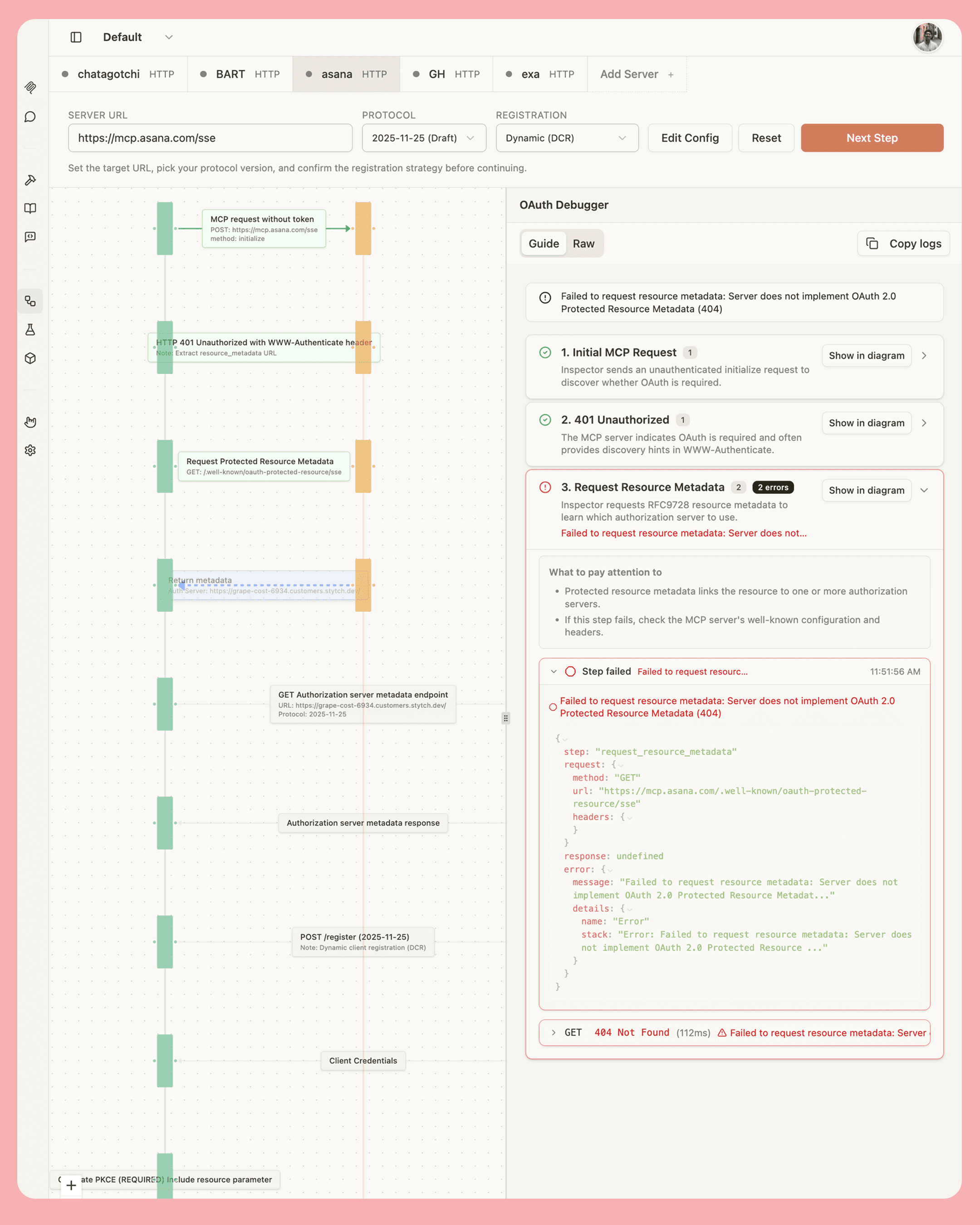
If you're comfortable with OAuth, I recommend trying the Raw tab. The Raw tab lets you view full network requests amongst all the components.
Test with different spec versions & client registration
The MCP authorization spec has gone through many iterations. It's good practice to make sure that your MCP server is up to date on the spec, but also backwards compatible. MCPJam's OAuth debugger lets you choose which spec you want to test for. You can test for:
- 03/26/2025 spec (old)
- 06/18/2025 spec (current)
- 11/25/2025 spec (draft)

The latest November spec introduced Client ID Metadata Documents (CIMD). It's recommended that servers be able to handle multiple. You can choose which client registration method to use:
- CIMD: MCPJam has a metadata document hosted on the URL
https://www.mcpjam.com/.well-known/oauth/client-metadata.jsonand will register itself using the document. - DCR: Automatically handled for you.
- Pre-registration:select "Edit Config" in the debugger, and you can input a custom client ID and secret for pre-registration
Start the MCPJam inspector
Starting the MCPJam inspector is a single command:
npx @mcpjam/inspector@latestCheck out our GitHub repo for other installation options.
Once you've connected to a server within the inspector, click on the OAuth debugger tab to get started.
Stytch Connected Apps
We wanted to thank Max Gerber and the Stytch team for providing their OAuth expertise in helping build out the OAuth debugger. We've been using Stytch Connected Apps to set up auth for our MCP servers. What I like about Connected Apps is that I can use it to integrate with my existing identity provider.