MCPJam Inspector Web App
We're excited to announce the launch of the MCPJam web app. Today, developers building MCP apps have to run MCPJam locally via npx and Docker, or by downloading the desktop app. That's no longer the case with MCPJam web.
MCPJam web app provides easy access to testing your MCP app, ChatGPT app, and MCP server directly in the browser, no downloads required. This is our big step towards building a truly collaborative MCP development ecosystem for both technical and non-technical builders.
The MCPJam web app can be accessed at app.mcpjam.com. An MCPJam account is required to access the inspector app.
MCPJam Web App
The MCPJam web app has the following features:
- Connect to any Streamable HTTP server. Has to be a public endpoint. OAuth and custom headers supported.
- Manually trigger your MCP server's tools, resources, prompts.
- LLM playground to simulate your MCP server's behavior in a production environment and evaluate agent tool selection (a key distinction covered in our MCPJam vs MCP Inspector V2 comparison). We provide LLM API keys for free.
- MCP app and ChatGPT apps Builder. Our local emulator to test and inspect MCP apps.
- Collaboration features such as MCP app saved Views, and projects to share servers.
Note that the web app version has limited capabilities compared to the current local versions. MCPJam web cannot connect to localhost or STDIO MCP servers. Download the local version of MCPJam to use its full capabilities.
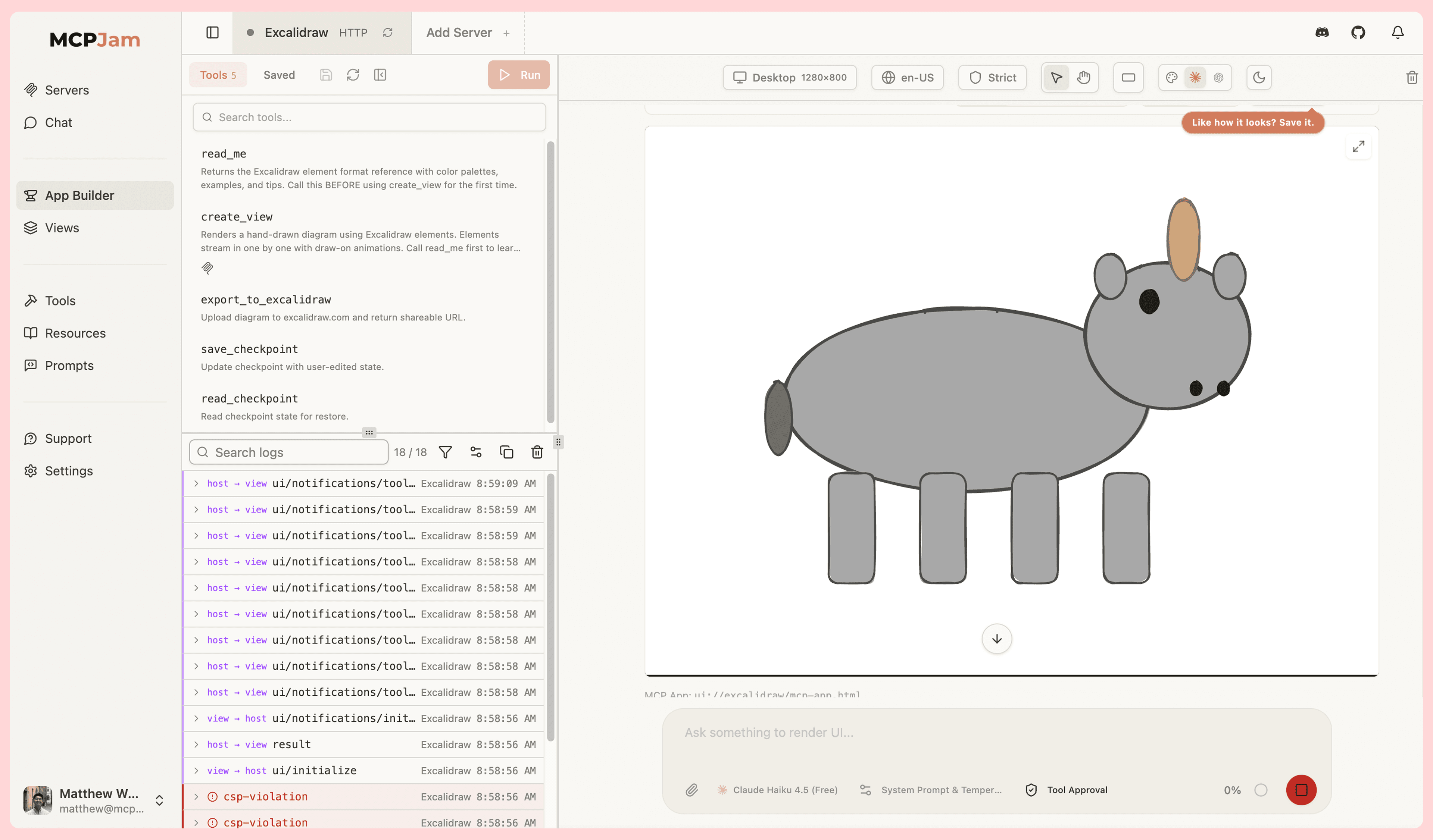
Share and collaborate on MCP apps
We're seeing entire teams collaborate on building MCP apps, with both technical engineers and non-technical builders involved. MCPJam provides collaboration features helping your team share work.
As an engineer, you may have wanted to share your MCP app to non-technical builders, let them try it out. You may now send public shareable links to your MCP server on MCPJam web. Clicking on the link takes them directly to a playground already connected to your MCP server where they can try out your app.
Other sharing features we've built:
- Create projects and share your MCP server connections. Inviting teammates to a project automatically gives them your team's server connection setup.
- Saved views - Within the app builder, you can save a view to share, like taking a screenshot of your app. That screenshot becomes shareable amongst your teammates.
What's next
We will be building an MCP beta marketplace. OpenAI and Anthropic are taking a long time to approve apps for their app store. MCPJam beta marketplace provides the opportunity for developers to share their apps, have real users try and give feedback on their apps, before it gets released to production.
MCPJam beta marketplace will be coming out at the end of the month.