
Develop ChatGPT apps with full observability (ngrok)
If you're building a ChatGPT app with the OpenAI Apps SDK, you've probably been frustrated with the lack of observability in the developer experience. ChatGPT client does not print out any error messages.
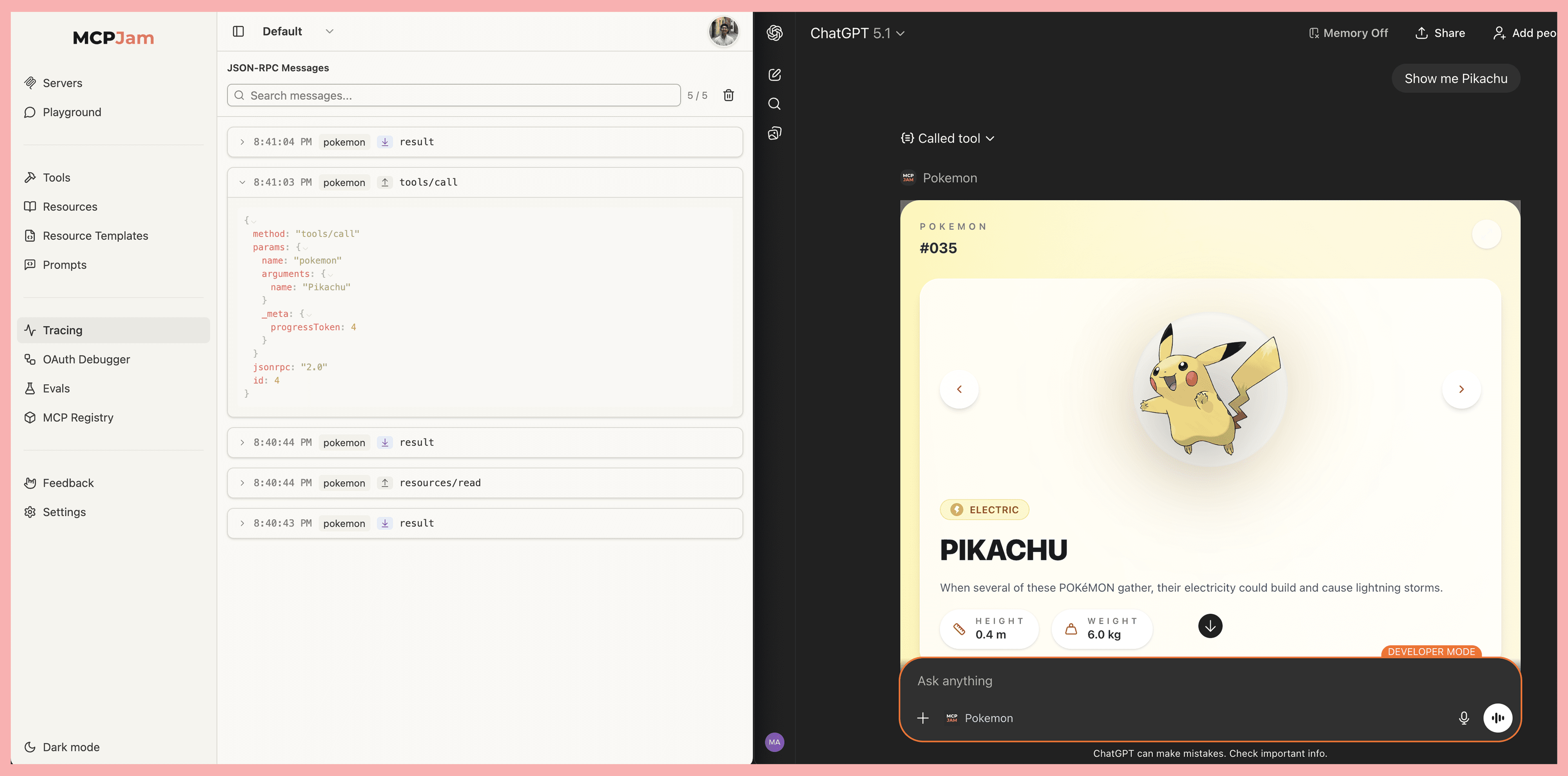
Today, we're excited to present MCPJam's ngrok tunneling feature, enabling you to observe all JSON-RPC messages sent between ChatGPT and your app via the ngrok tunnel. We provide the easiest way to set up ngrok.
- Observe the communication layer between ChatGPT and your app's MCP server
- No need to create an ngrok account when spinning up ngrok via MCPJam
- No session timeouts. Free ngrok tunnels expire, breaking your flow. We don't have those limitations.
We're on a mission to make building ChatGPT apps and MCP servers effortless. When you're iterating rapidly on your server, these micro-interruptions add up.
One-click tunneling in MCPJam Inspector
MCPJam Inspector now includes built-in ngrok tunneling. Here's the new workflow:
- Connect to your local MCP server in the Inspector
- Click "Create ngrok tunnel"
- Copy the HTTPS URL from the tunnel
- Paste into ChatGPT → Settings → Connectors
That's it. No separate ngrok setup. No extra terminals. No account configuration. Click the Tracing tab to view the JSON-RPC messages between ChatGPT and your server. When you're done testing, click "Close tunnel" and remote access stops immediately.
Security Considerations
The tunnel URL points to your local MCPJam Inspector, which has access to all your connected MCP servers. Your tunnel URL is unguessable, but it's not authenticated. Anyone you share it with (or who sees it on your screen) can access your MCP servers. Keep it private and close the tunnel when done.
Local ChatGPT app emulator
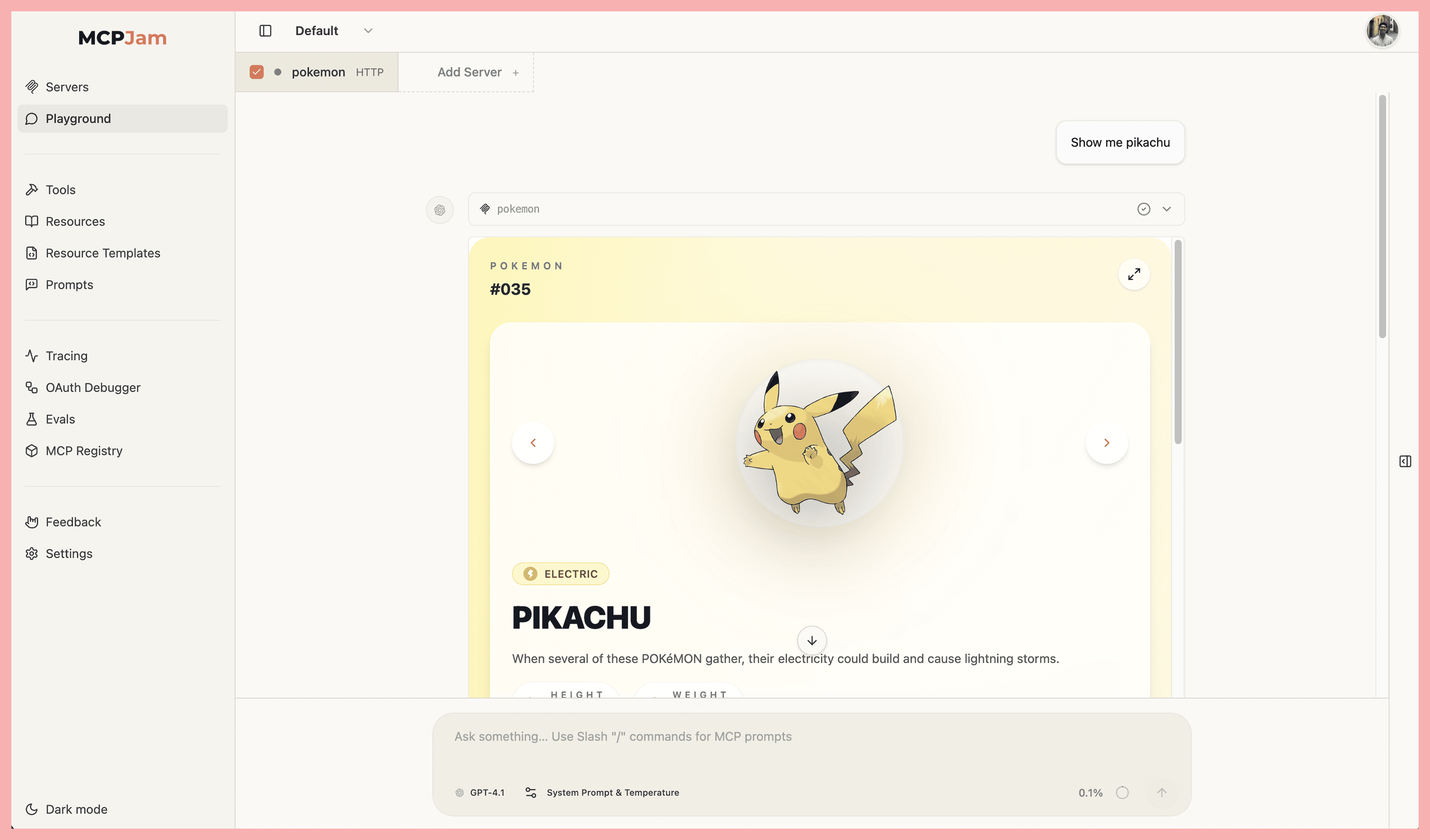
We built the first local ChatGPT emulator so you can test your ChatGPT app without opening an ngrok tunnel to ChatGPT. This is useful for the early stages of development and fast iteration, before you want to test it in production in ChatGPT.
You can view and iterate your ChatGPT app UI via the playground, or the tools tab, within the MCPJam inspector.
Try It
Next time you're building a ChatGPT app, skip the ngrok setup dance:
npx @mcpjam/inspector@latestConnect your server, create a tunnel, and paste the URL into ChatGPT. Your iteration loop just got shorter.