Multi-account connections in MCPJam
An MCP connection represents one authenticated account that lets you access data from an app. The problem with this is that sometimes you want to access data from multiple accounts of that app. Email is a great example of this. Personal assistant agents let you connect to MCP servers to read your email inbox. If a person asks their agent to get a morning digest expecting to get Work/Personal emails, they hit into issues because they can only log in with one account.
Enter multi-account connections for ChatGPT. They let you sign in to multiple accounts per plugin, hence enabling you to pull data from all accounts you have with that app. Email is one use case, but connecting an agent to multiple accounts has several use cases, such as multiple Google Workspace accounts or accessing health records for a family member in your care.
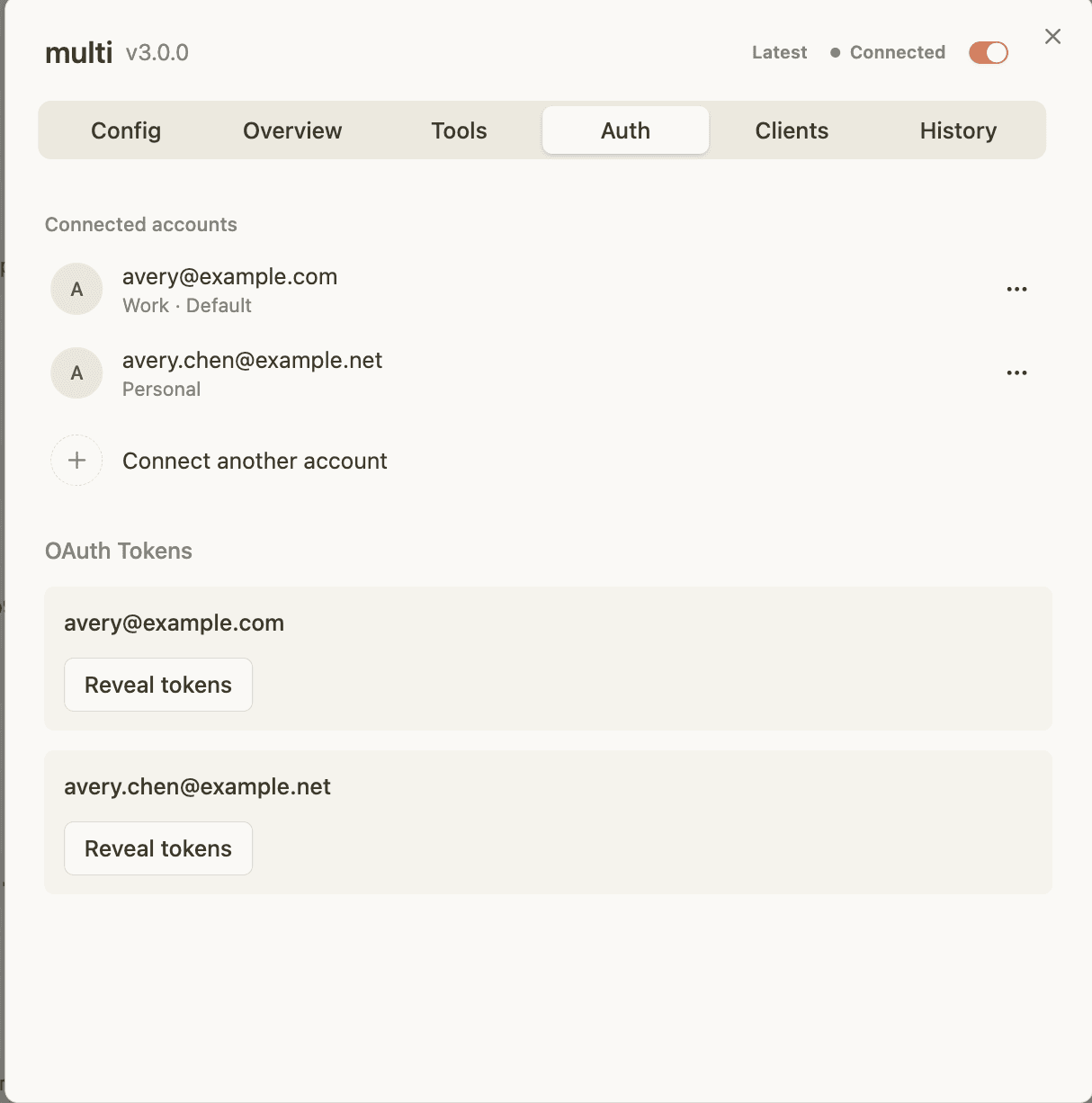
How it works
A little bit about implementation: server developers are encouraged to mark one tool with openai/profile set to true. This will let ChatGPT call that tool with the token of the connected accounts to access metadata such as name/email.
On the client side, the moment a second account is added, ChatGPT dynamically augments the model-facing tool definition with a required link_id. This parameter is the identifier for a connected account. It also appends to the description of your tool so that the model knows that tool can be called with different accounts. After the model calls the tool but before the MCP server request is sent, the link_id is removed from the body and instead the correct token is added to the header.
One account connected:
Scroll code horizontally →
{
  "name": "list_messages",
  "description": "List messages in the mailbox.",
  "inputSchema": {
    "type": "object",
    "properties": { "unreadOnly": { "type": "boolean" } }
  }
}
Two accounts connected:
Scroll code horizontally →
{
  "name": "list_messages",
  "description": "List messages in the mailbox.\nConnected accounts: [email protected] (link_id=link_123); [email protected] (link_id=link_456)",
  "inputSchema": {
    "type": "object",
    "properties": {
      "unreadOnly": { "type": "boolean" },
      "link_id": { "type": "string", "enum": ["link_123", "link_456"] }
    },
    "required": ["link_id"]
  }
}
Why this matters
We believe that this feature is extremely relevant in this new world of having one entry point to running agents, instead of what most of us are used to now with creating agent sessions. We've noticed this trend in personal assistants such as Grok Bot/Muse or coding agents like Cursor/Anthropic projects. We also hope that implementations by the biggest AI clients can be standardized so that it's easier for developers to adopt these features.
If you're a server developer, this works automatically. If you want to make the experience better, mark your existing whoami tool with openai/profile so ChatGPT can label the account. Test these today at mcpjam.com!